
Light Fixture Still Flickering After a New Bulb? 6 Real Causes
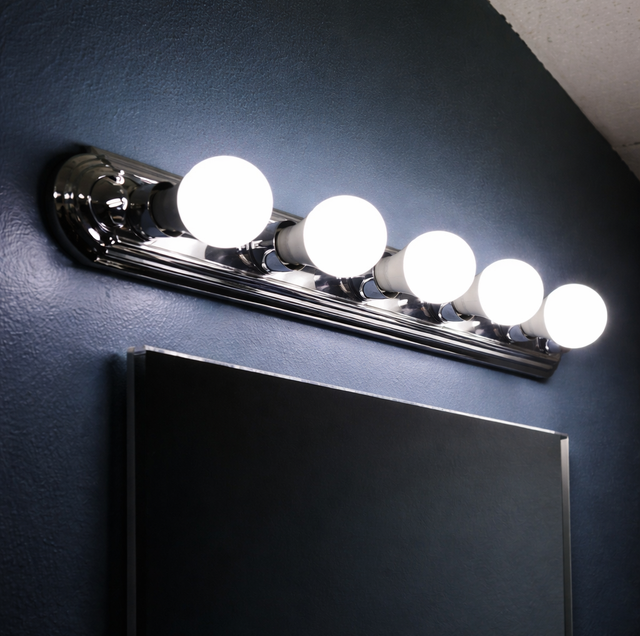
You put in a new bulb, screwed it in tight, flipped the switch, and the fixture flickered anyway. That's the moment most people either give up and live with it, or start guessing: a different bulb brand, a different wattage, maybe a whole new fixture. Guessing wastes time, because a flickering light almost never needs a new fixture. It needs a specific check, done in order, to find the one point in the circuit that isn't holding a clean connection.
Here's the order that actually narrows it down. First, is the flicker happening at one fixture or several? Second, does it happen on its own or only when you touch the switch, tap the fixture, or run another appliance? Third, is the fixture on a dimmer? Those three questions sort almost every flicker into one of two piles: something a handyman can fix at the fixture or switch, or something that belongs to a licensed electrician because it lives upstream, at the wiring or the panel.
Quick Answer: A flickering light after a bulb swap is usually a loose bulb, worn socket, bad dimmer, or worn switch — all handyman fixes. Flickering across multiple rooms points to a panel issue and needs a licensed electrician.
The New Bulb Only Ruled Out One Variable
Swapping the bulb tests exactly one thing: whether the old bulb's filament, driver, or base had failed. If the new bulb still flickers, you've learned the problem isn't the bulb itself, but everything else in the path between the wall switch and the light is still a suspect. That includes the socket the bulb screws into, the wire connections inside the fixture box, the switch, and, less often, something further back in the circuit. None of those get replaced just because the bulb did.
Start With the Socket the Bulb Screws Into
Bulb not fully seated: Even a snug-feeling bulb can be a half-turn short of full contact, especially with LED bulbs, which have a shorter base than the incandescent bulbs the fixture was likely designed around. With the power off, remove the bulb and turn it back in until it stops, then recheck after a minute, since thermal expansion can loosen a borderline connection once the bulb warms up.
Worn or corroded socket contact: The small brass tab at the bottom of the socket is what actually touches the bulb's base, and it flattens with age and repeated bulb changes. A flattened tab makes light contact instead of firm contact, and every small vibration in the house- a door closing, someone walking past- breaks and remakes that contact just enough to flicker. With the power off at the breaker, not just the wall switch, this tab can sometimes be gently pried up a fraction of an inch to restore pressure, but a socket that's corroded or badly worn is better replaced outright. Socket and light fixture swaps are routine handyman work.
Dimmers and LED Bulbs Don't Always Get Along
If the flickering fixture is on a dimmer, check the dimmer before anything else, because this is the most common cause of flicker in homes that have switched to LED bulbs. Older dimmers, especially the standard toggle or slide dimmers built for incandescent bulbs, were designed around a minimum electrical load of 40 to 60 watts. A single LED bulb typically draws somewhere around 8 to 12 watts, well under that threshold, and the dimmer's internal circuit can't hold a stable signal below its rated minimum. The result is exactly the flicker you're seeing, sometimes paired with a faint buzz from the dimmer itself.
The fix isn't a different bulb; it's a dimmer built for LED loads, with a lower minimum wattage rating, usually somewhere around 5 to 10 watts depending on the model. Lutron, Leviton, Eaton, Siemens, and G.E. all make LED-rated dimmers as direct swaps for a standard single-pole or three-way switch box, and checking the dimmer manufacturer's published LED compatibility list for the specific bulb model you're running solves compatibility issues that a generic "LED-rated" label sometimes doesn't. This swap is standard handyman electrical work.
A Loose Connection Inside the Fixture Box
If the flicker only shows up when you tap the fixture, when a door slams nearby, or when foot traffic passes underneath, the wire connections inside the fixture's junction box are the next place to look, not the bulb or the switch. Fixtures are wired together with wire nuts, twist-on connectors that join the fixture's wires to the circuit wires feeding it, and a wire nut that wasn't twisted fully tight, or that's holding a stripped wire with too little copper exposed, makes an intermittent connection instead of a solid one. Vibration is what breaks that marginal contact loose, which is why tapping the fixture or a nearby door closing can trigger the flicker on cue.
With the power off at the breaker, the fixture's canopy comes down to expose the wire nuts, and each one gets checked for a firm, fully seated twist over cleanly stripped copper. Re-terminating a loose wire nut at a light fixture, ceiling fan, or recessed can is inside normal handyman electrical scope, the same work involved in installing one in the first place.
The Switch Itself Can Be the Weak Link
A worn toggle or push-button switch has internal contacts that make and break the circuit every time it's flipped, and after years of use those contacts pit and carbon-build the same way an old car's spark plug does. A switch in that condition can flicker the light even when the switch is sitting in the fully "on" position, because the internal contact is only making partial contact rather than a clean one. If jiggling or lightly tapping the switch plate changes the flicker, the switch itself, not the fixture, is the likely cause. Swapping a worn toggle or push-button switch for a new one is one of the most common handyman electrical calls.
Match the Symptom to the Cause
| What You're Seeing | Likely Cause | Handyman Fix or Licensed Electrician |
|---|---|---|
| One fixture flickers randomly, no pattern | Bulb not fully seated or worn socket contact | Handyman |
| Flicker only on a dimmer, sometimes with a buzz | Dimmer not rated for LED load | Handyman (dimmer swap) |
| Flicker when you tap the fixture or a nearby door closes | Loose wire nut inside the fixture box | Handyman |
| Flicker changes when the switch is jiggled | Worn switch contacts | Handyman |
| Several rooms or the whole house flicker together | Loose connection at the panel or a failing breaker | Licensed electrician |
| Flicker worsens when the AC, dryer, microwave, or well pump kicks on | Voltage sag tied to panel capacity or a loose service connection | Licensed electrician |
| Flicker paired with a warm switch plate, a burning smell, or scorch marks | Overheating connection | Licensed electrician, treat as urgent |
If flickering comes with a warm or discolored switch plate, a burning smell, or scorch marks, turn off the breaker to that circuit and call a licensed electrician. That signals an overheating connection, not a routine loose contact.
When Flickering Points Past the Fixture
Everything above assumes the flicker is contained to one fixture or one switch loop. It changes character once it shows up in more than one room at the same time, or once it tracks with what else is running in the house. Whole-house flickering, where lights dim or flare together across different circuits, usually means the loose connection is upstream of any single fixture: at the panel's main lugs, at a breaker whose contacts have degraded, or at the neutral connection that ties the whole system together. None of that is something a bulb, switch, or fixture repair touches, and opening a panel is licensed-electrician and often utility territory, not handyman scope.
The other tell is flicker that worsens specifically when a large appliance starts up: the AC compressor, a dryer, a microwave, or a well pump. Those pull a large, sudden current draw at startup, and if the panel or service connection is already marginal, that draw causes a brief voltage sag visible elsewhere in the house. That's a wiring-capacity or connection issue, not a fixture issue, and worth a licensed electrician's evaluation, since a loose connection at that level generates heat under load.
Frequently Asked Questions
Yes. Every fixture and socket has a maximum wattage rating printed on a small tag near the socket, and running a bulb above that rating makes the socket run hotter than it's built for, which accelerates the same contact wear covered above. Staying under the rated wattage protects the socket even with LED bulbs, which run far cooler than incandescent bulbs of the same brightness.
The buzz is a small internal coil or capacitor in the dimmer vibrating because the load connected to it is below the dimmer's rated minimum, the same mismatch that causes the flicker. Some LED-rated dimmers ship with a minimum load add-on, a small device wired in parallel with the bulb, specifically to solve this on circuits with only one or two low-wattage bulbs.
They can, because an LED bulb has an internal electronic driver that converts household power to the low-voltage DC the diodes need, while an incandescent bulb heats a filament directly and has nothing to malfunction electronically. A cheaper LED bulb often has a lower-quality driver that's more sensitive to a marginal connection or an incompatible dimmer than a better-built bulb from a name brand.
Take the suspect bulb and put it in a fixture you know works fine. If the flicker follows the bulb to the new location, the bulb itself is defective and needs to be returned or replaced. If the original fixture still flickers with a bulb you know is good, the problem is in the fixture, socket, or switch, not the bulb, which points you straight to the sections above instead of buying a third bulb.
Not usually. A smart bulb that flickers or flashes is more often a Wi-Fi or hub connectivity issue, a firmware update in progress, or a scene or automation misfiring, none of which involves the household wiring. Restarting the bulb from its app and confirming it holds a stable connection to the hub rules that out before assuming it's an electrical fault.
A single flickering fixture, caused by a loose bulb, socket, dimmer mismatch, or wire nut, stays contained to that one circuit loop and won't affect anything else in the house. Whole-house flickering is different, since the voltage instability behind it can also affect sensitive electronics, which is one more reason that pattern gets referred to a licensed electrician rather than treated as a fixture problem.
Schedule an electrical fixture or switch inspection — a technician can check sockets, dimmers, and switch connections and tell you on the spot if the fix is handyman-scope or needs a licensed electrician. Precision Home Worx serves Wilmington, Bear, and Newark. Call (302) 500-3676.


